Action
|
Comment
|
|
1
|
From the Inspections tab , click on the Enter
New Inspection button
|
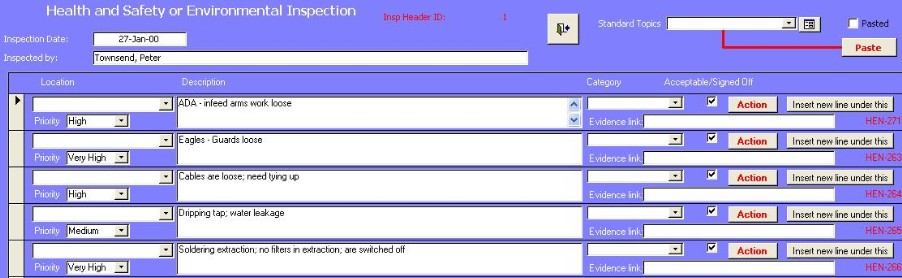
The form shown below
appears.
|
2
|
Enter the date and who is carrying out the inspection |
|
3
|
Select the Standard Topic and click on Paste
|
If you want to add or edit a standard topic, then click on the |
4
|
Select the location and any
description
|
|
5
|
Enter any actions
arising
|
|
6
|
If you want to insert a new line under an
existing standard topic, then click on |
A new line will be added under the existing one with the same description entered. |