


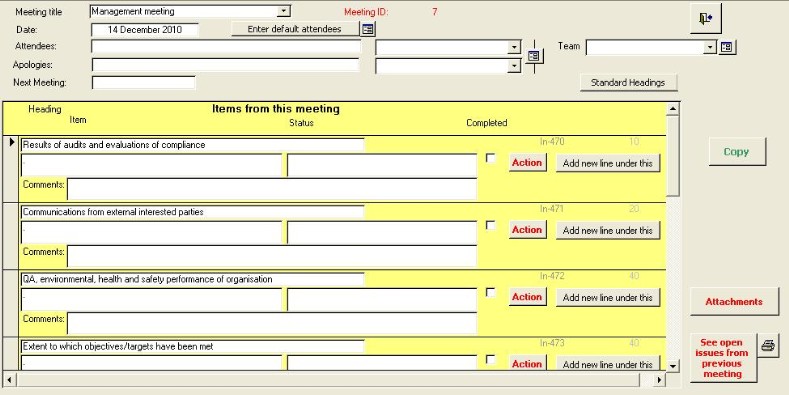
Step
|
Action
|
Comment
|
1
|
Use the navigation buttons to find a new or
existing meeting record
|
|
2
|
Select the meeting title, date and
attendees.
|
See setting meeting titles if the title you want
does not exist.
|
3
|
If the meeting is an ISO 9001, 14001, etc.,
meeting, click on the |
A standard set of headings will be entered |
4
|
Enter the heading in the first
box
|
|
5
|
Enter the minuted item in the next
box
|
|
6
|
Click on the Action button if you want to assign
actions related to this item.
|
|
7
|
Move to the next
record
|
|
8
|
If the heading is the same as the previous item,
repeat step 4. Otherwise, alter the
heading.
|
The heading will be automatically
entered.
|
Entering a new line
If you want to add a new line under an existing line, then click on the  button
on the line under which you want the new line.
button
on the line under which you want the new line.
This will paste in a
new line in the correct position and with the heading copied in.
 button