


Step
|
Action
|
Comment
|
1
|
From the audit tab, click on the |
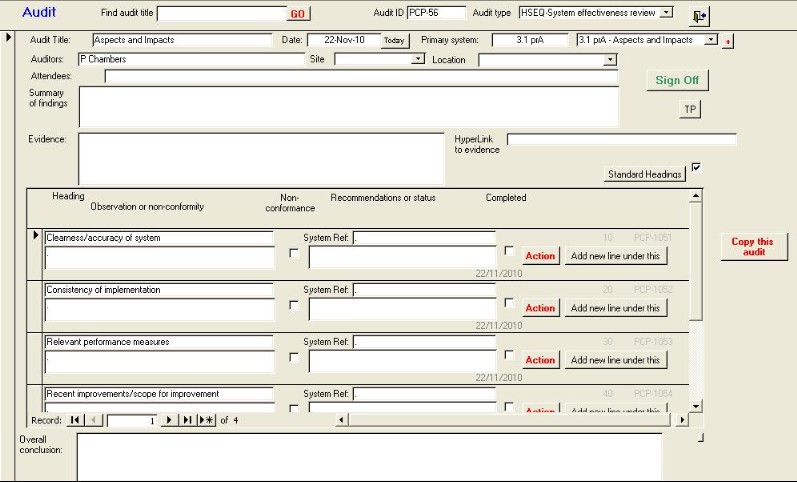
This will open the form shown below and take you
to the first audit.
|
2
|
Type text from the system audit you want to find
in the |
Eg waste for Waste
Handling
|
3
|
Click on the GO button
|
This will take you to the first
instance
|
4
|
Keep clicking on the GO button to step through
every instance until you find what you are looking
for.
|
You will get Waste Handling, Hazardous Waste
Transfer, etc
|
|
The GO button only steps in the forward
direction. If you were on audit No. 50, and you were looking for audit
No. 45, it would not be found. Step [1] takes you to audit No.
1
|
|
 button
 box
box