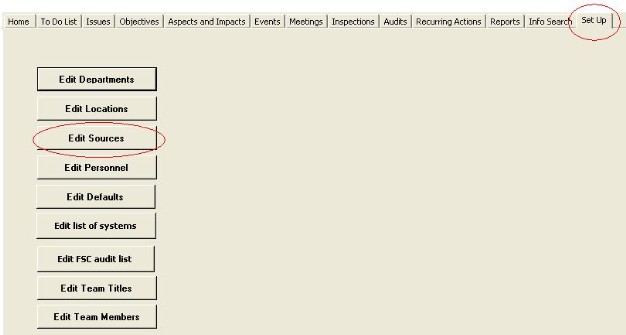
Entering new audit types is the same as entering new issues sources, except that the Audit box is ticked.
Do the following:
Step
|
Action
|
Comment
|
1
|
From the set up tab, click on Edit
sources
|
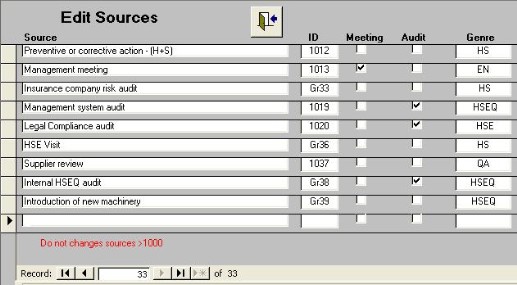
The Edit Sources form shown in fig.2 will be opened and you will be taken to a new record. |
2
|
Enter the title of the audit in the Source
column
|
The ID will be automatically entered. |
3
|
Tick the audit
box
|
This defines the issue source as being an audit type and therefore makes it appear in the audit form drop-down box. |
4
|
Enter the
genre
|
This may be HS, HSE, EN, QA, HSEQ
|
|
Do not alter any sources which have an ID of 1000 or
greater
|
These are reserved from specific sources.
|