1
1
Step
|
Action
|
Comments
|
1
|
Select the Training/Assessment Record tab Select in the “Person” box the person for whom
you wish to enter a training
record
|
If the person is not already listed, click on
the
|
2
|
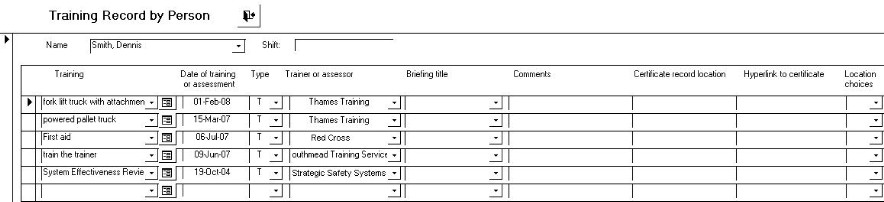
Click on the “Enter Training Record for this
Person” button
|
The form shown below
appears.
|
3
|
Select the appropriate course in the Training
column
|
If the course is not on the list, click on the
new data button next to the training
box.
|
4
|
Enter the date, the trainer and, in the Type
box, whether the record is for a training course [T] or for an
assessment [A].
|
|
5
|
You may also enter a record of where any
certificate is kept.
|
|
 button
next to the person box
button
next to the person box