


Step
|
Action
|
Comment
|
1
|
From the Inspections tab click on the Enter New
Inspection button
|
|
2
|
Click on the |
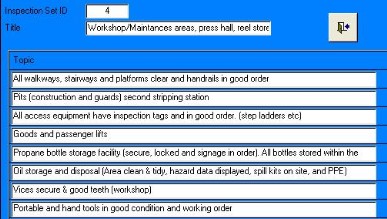
The form shown below
appears
|
3
|
Use the navigation buttons to find the
appropriate list or to go to a new record to start a new list
|
There will be only one to start with. A new blank will automatically
appear.
|
4
|
Add the title and each topic and then click on the close button. |
|
 button
next to the Standard Topics drop-down list
button
next to the Standard Topics drop-down list