Step
|
Action
|
Comment
|
1
|
From the set-up
page, click on the Edit Sources
button.
|
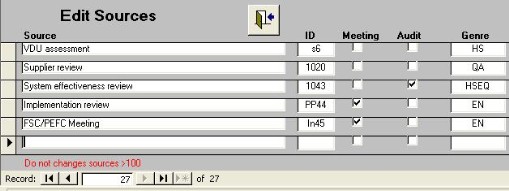
The form shown above appears and takes you to a blank record. |
2
|
Enter the name of the meeting in the Source
box.
|
The ID will be entered automatically.
|
3
|
Ensure that the Meeting box is
ticked
|
The new meeting name will now be available. |