Step
|
Action
|
Comment
|
1
|
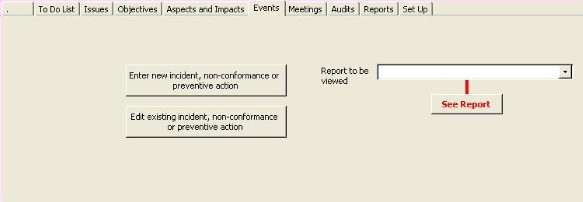
To enter a non-conformance, incident, preventive action, click on
the Enter New Incident, non-conformance or preventive action button.
|
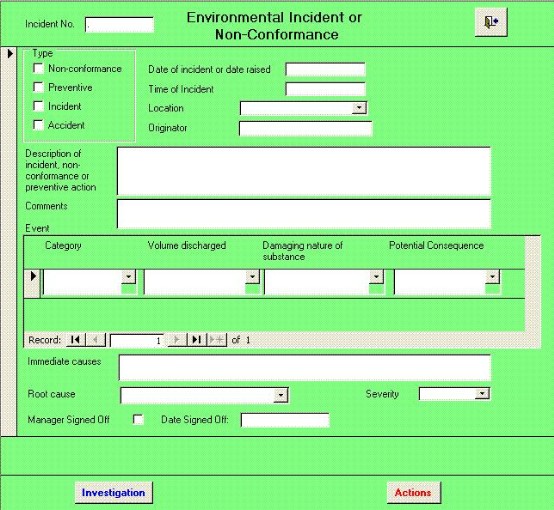
The form shown below appears.
To edit an existing event, click on the
Enter Incident, non-conformance or preventive action
button
|
2
|
Tick the appropriate type box
|
eg
Incident
|
3
|
Enter the date
|
If it is an incident, the incident number will be automatically
entered in the format |
4
|
If it is an incident, enter the event category, volume
discharged, etc.
|
|
5
|
If 3 needs to be duplicated for different categories, use the
navigation buttons in the subform.
|
|